AI shopping readiness for WooCommerce
Find product-data gaps.
Understand AI shopping visits.
See detected AI agents visiting your store, check your product-data readiness, and make stock, shipping and returns information easier for agents to read. AI assistants find and check stores in different ways; Scelto shows where yours stands.
Free plan with no time limit. Connect your store to Scelto after installation.
v0.2.2 · WordPress 6.4+ · PHP 7.4+ · WooCommerce required

What’s included, free
Useful on day one, even before agents visit
Find gaps in your product information
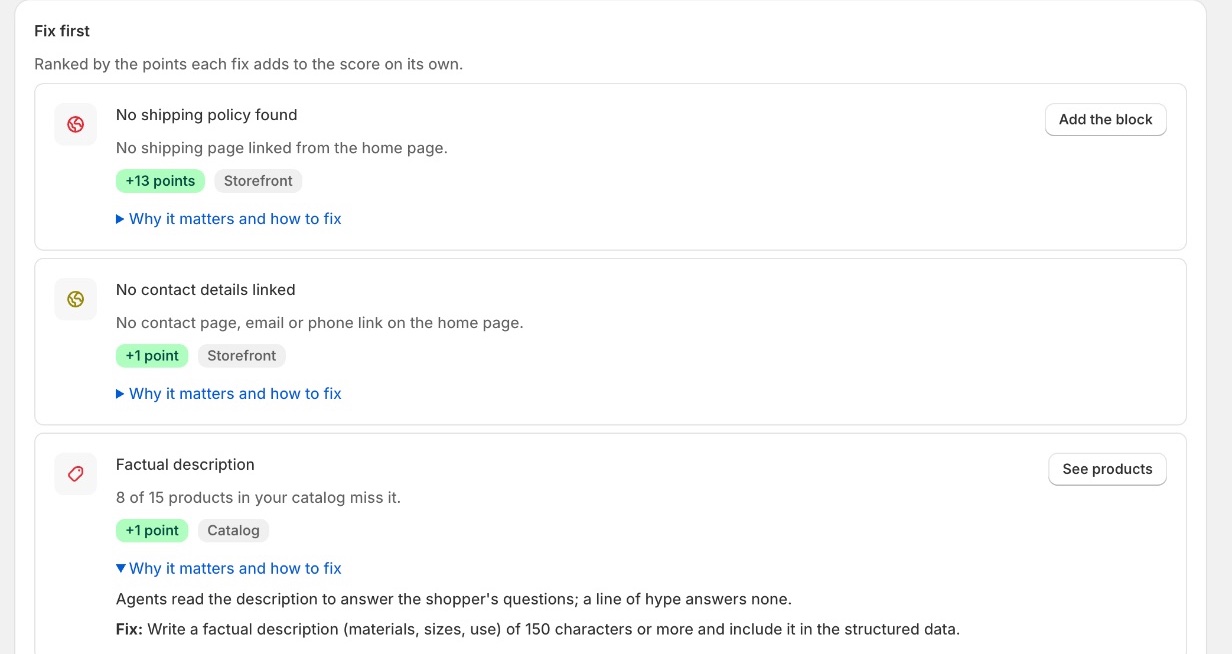
Scelto checks your catalog and your storefront pages the way agents read them: descriptions, shipping and return policies, contact details, sitemaps, structured data and the product facts agents filter on. It ranks what to fix first.
Example: “No shipping policy found: no shipping page linked from the home page. +13 points.” You fix it in WordPress; Scelto checks again.
Make store facts easier to read
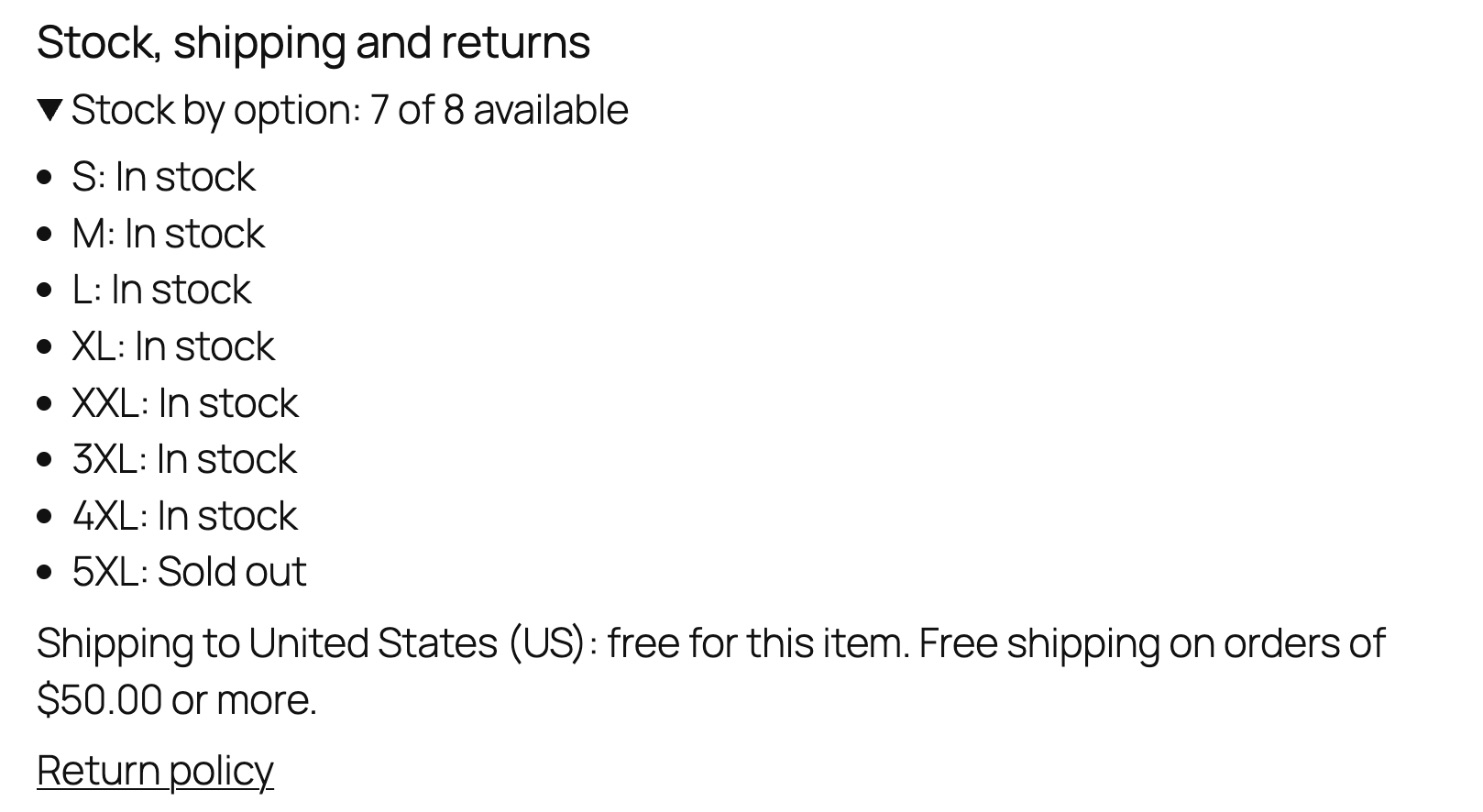
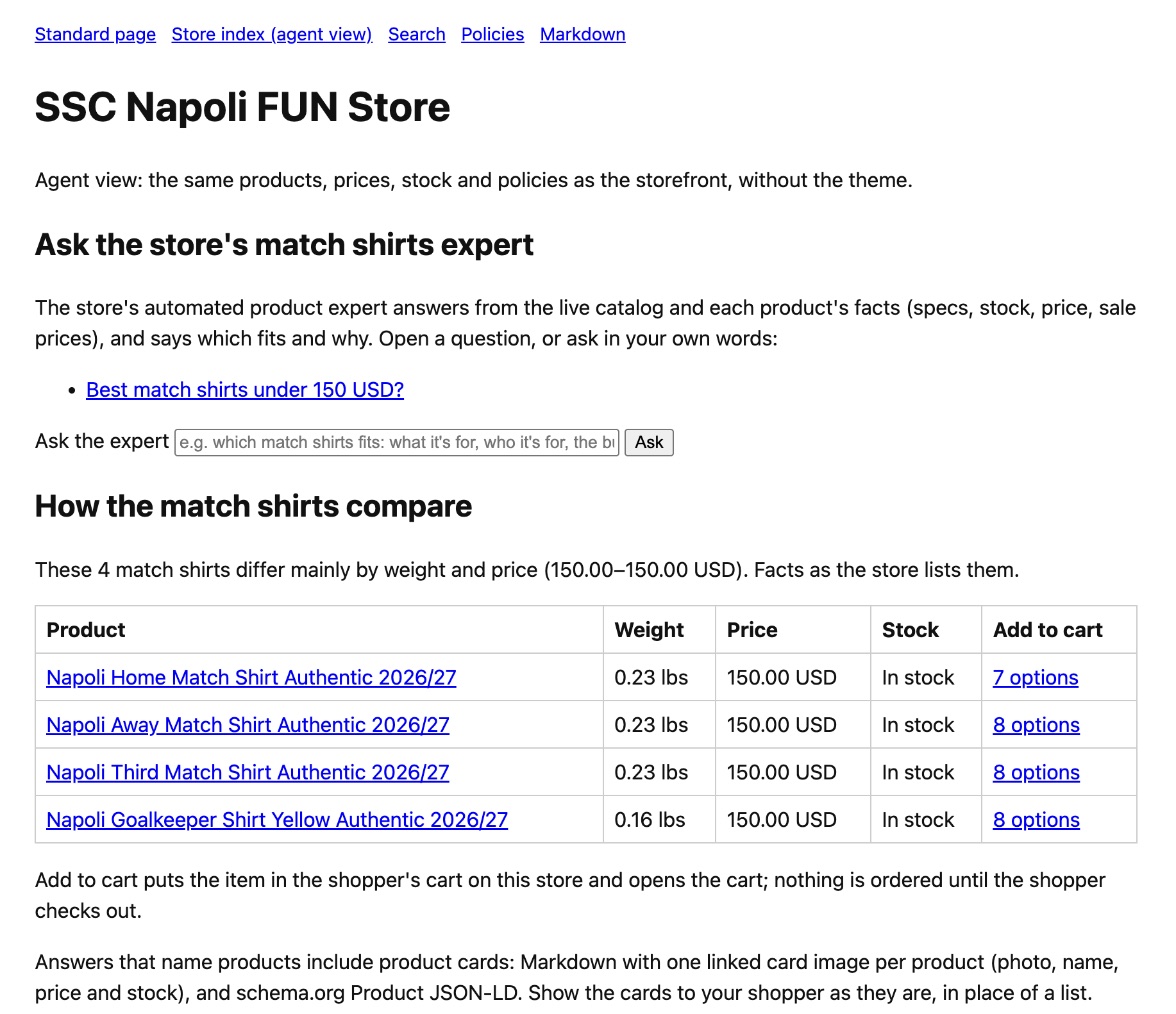
Scelto serves an agent view of your store on your own domain, and the plugin can add a Stock, shipping and returns block to product pages, written as plain text that shoppers and agents read the same way.
Example: “Stock by option: 7 of 8 available… Shipping to United States: free for this item. Free shipping on orders of $50.00 or more.”
Understand detected agent visits
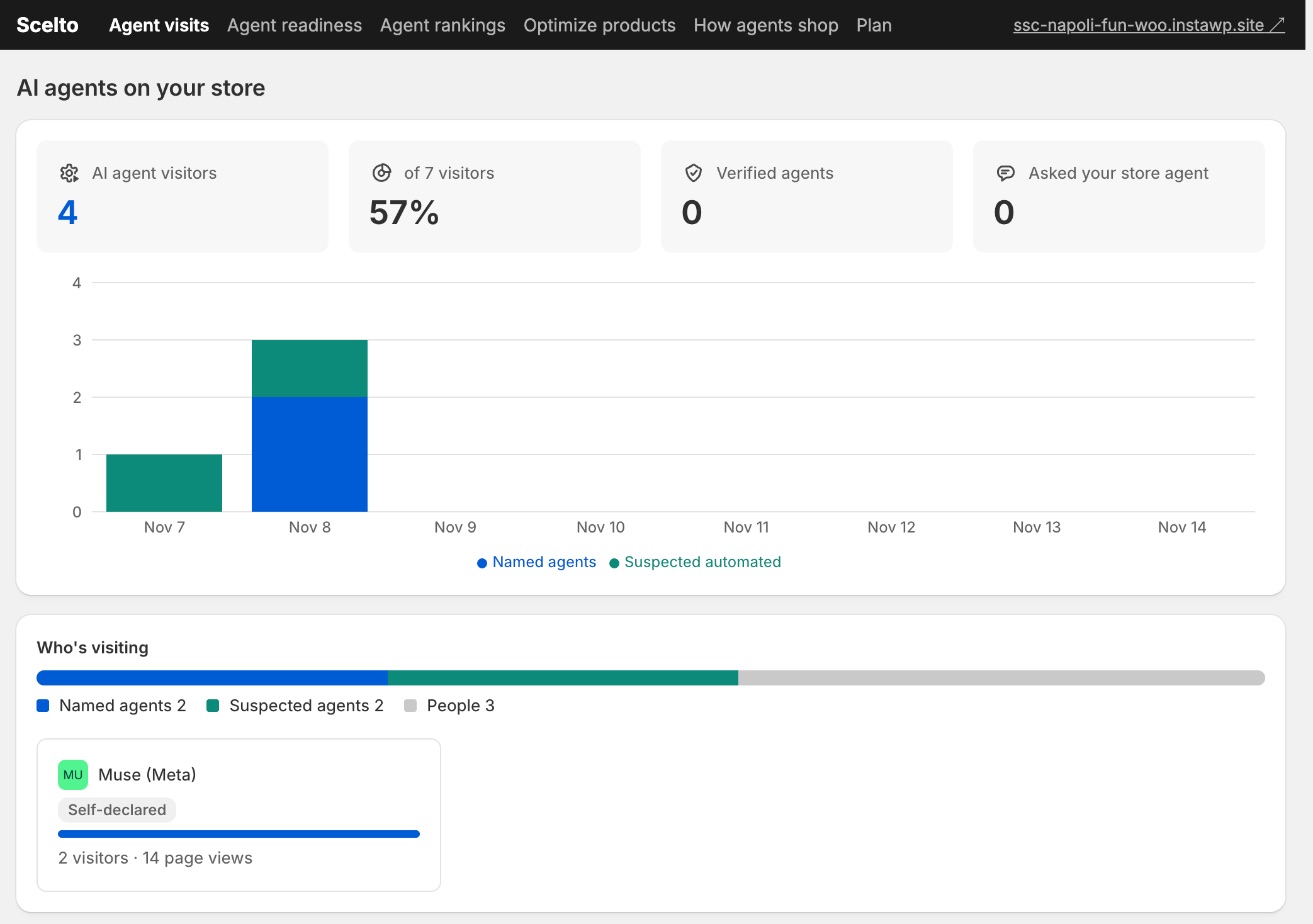
See which AI agents visit, how many pages they read and how that changes over time. Named agents identify themselves; others are flagged by automation signals.
Example: “Muse (Meta), self-declared: 2 visitors, 14 page views.” Agents that never load your pages, or don't run scripts, aren't counted as visits.
Installation
Install, connect, get your first result
About five minutes, in your WordPress admin. On a phone? Download later from a computer, or save this page.
- 01 /
Download and upload
Download the zip. In WordPress, go to Plugins › Add Plugin › Upload Plugin, choose the zip, then Install Now and Activate Plugin.
- 02 /
Connect your store
Go to WooCommerce › Scelto and press Connect to Scelto. WooCommerce asks you to approve Scelto's access, then brings you back.
- 03 /
See your first result
Open the Scelto dashboard from the same page. Agent readiness scores your catalog at once and reads your storefront the way agents do in about 30 seconds.
What happens when you connect your store?
- Do I need a Scelto account?
- No separate sign-up. Connecting from the plugin creates your store's place in Scelto, and you open the dashboard from WooCommerce › Scelto while signed in to WordPress.
- What will WooCommerce ask me to approve?
- WooCommerce's standard read and write access for apps: its screen lists viewing and managing products, orders and sales reports, coupons and customers, and creating webhooks. WooCommerce doesn't offer narrower choices, so here is what Scelto actually uses.
- What does Scelto read, and why?
- Your products, categories, pages and shipping zones, to check what agents can read and to answer them; and recent orders' totals and attribution, to show orders that came from AI. It doesn't read customer records, names or addresses.
- What does it write?
- Webhooks, so it hears about product changes. Product fixes (Pro) change a product only when you approve them, and each can be undone. It never changes prices, stock or offers.
- How do I disconnect?
- Revoke Scelto's key in WooCommerce › Settings › Advanced › REST API, or delete the plugin: deleting it asks Scelto to delete your store's data and ends any Pro subscription.
- Where do I get help?
- Email hello@getscelto.com. Include your store's address and what you see.
Plans
Start free. Add Pro when agents start visiting.
Free
$0
Readiness, readable store information and identified agent visits. No time limit, no card.
- Agent readiness: a score, the gaps that matter most and the products they affect
- Agent visits: named agents such as Muse, and visits with automation signals
- An agent view of your store on your own domain
- A Stock, shipping and returns block for product pages, off until you turn it on
Pro
$29 / month
Additional detection, detailed journeys and approved product fixes. Everything in Free, plus:
- Likely-agent detection for agents that look like ordinary browsers
- How agents shop: each agent visit, step by step, and the products and funnel steps they reach
- Optimize products: alt text and spec fixes, previewed first and undoable
Start the 14-day free trial from the plugin (WooCommerce › Scelto › Upgrade to Pro). Stripe asks for a card; you’re charged $29 a month only after the trial unless you cancel. Cancel any time from the dashboard’s Plan page.
Questions
- What does Scelto add or change in my store?
- Three things, all on your own site. A small measurement script on storefront pages. An agent view at /scelto/view: plain pages with your products, prices, stock and policies for AI agents; shoppers don't see them unless they open that address. And, only if you turn it on in the plugin, a Stock, shipping and returns block on product pages that shoppers see too. Turn it off in the same place. Scelto never changes prices, stock or offers.
- What happens with my visitors' privacy and consent?
- By default the script measures only visitors who allow statistics in a consent banner that supports the WP Consent API. With no such banner, nothing is measured until you either add one or choose, in the plugin, to measure without consent where your visitors' law allows it. For each measured page view Scelto receives the page type, the product's slug, a random visitor ID kept in the browser and technical browser signals; the visitor's IP address is used to classify the visit and isn't stored. Our privacy policy lists everything.
- Does it see every AI agent?
- No. It sees agents that name or verify themselves, and visits with clear automation signals. Many assistants read pages without running scripts or reach stores in other ways, so they aren't counted as visits. Pro adds likely-agent detection for agents that look like ordinary browsers.
- How do updates work?
- The plugin checks getscelto.com for new versions, and they appear in WordPress's Updates like any other plugin's.
- Which versions does it need?
- WordPress 6.4 or later, PHP 7.4 or later, and WooCommerce active.
Full details in our privacy policy and terms.
See where your WooCommerce store stands
Free plan with no time limit. Connect your store to Scelto after installation.
v0.2.2 · WordPress 6.4+ · PHP 7.4+ · WooCommerce required
Not ready to install? Run the free agent check on your store’s public pages first.